Start with a real song.
Load a licensed recording and move the original parts independently. These are artist-provided stems, with source and license credits in every lesson.
Mix drums, bass, guitars and vocals independently. Adjust levels, EQ and compression, then listen to the result.
Practice with real multitrack recordings on your phone or computer. No audio interface needed.
Browser preview · No account required · Headphones recommended
MIX A REAL SONG
Press Play, then drag the mixer’s faders. Headphones recommended.
30-second excerpt · seven instrument groups + master.
Tom McKenzie / AlbumDB · CC BY 4.0 · Original source · Full credits & edits

01 / LEARN & PRACTICE
Load a song, choose a channel and adjust its level or processing. Play the parts together to hear how your changes affect the mix.
Move the dial. Watch the parts open up.
A visual exploration · no audio plays
Load a licensed recording and move the original parts independently. These are artist-provided stems, with source and license credits in every lesson.
Use solo to hear a part on its own, then adjust its EQ or compression. Turn solo off to hear the change with the other instruments.
Loop a section, use DCA groups to balance related channels, and return to the mix you saved on this device.
Real lessons need internet. The original synth demo is included in the native apps.
PLAY WITH THE POSSIBILITIES
A small experiment in balance. Three parts, endless ways to bring them together.
Make space for the lows, open up the highs, and bring the details forward.
Explore mixing in Practice ↗THE LESSON LIBRARY
47 real songs available, plus a separate original synth demo. Browse by genre or search for a song in the app. Here’s a small selection.
Arend Lee Jessurun
8 channels60 seconds
Tom McKenzie
6 channels60 seconds
XeroCrossing
6 channels60 seconds
HiMMP
7 channels60 seconds
Showing 4 example lessons
Browse the full libraryEach lesson includes attribution and preparation details. Some original recordings contain programmed instruments; these are identified in their credits.
02 / LIVE MIXING
Connect a compatible audio interface to your Mac. Shape the live inputs on the desktop, then use your phone to adjust the mix from where you’re listening.
MAC PRERELEASE · COMPATIBILITY TESTINGExplore three visual textures.
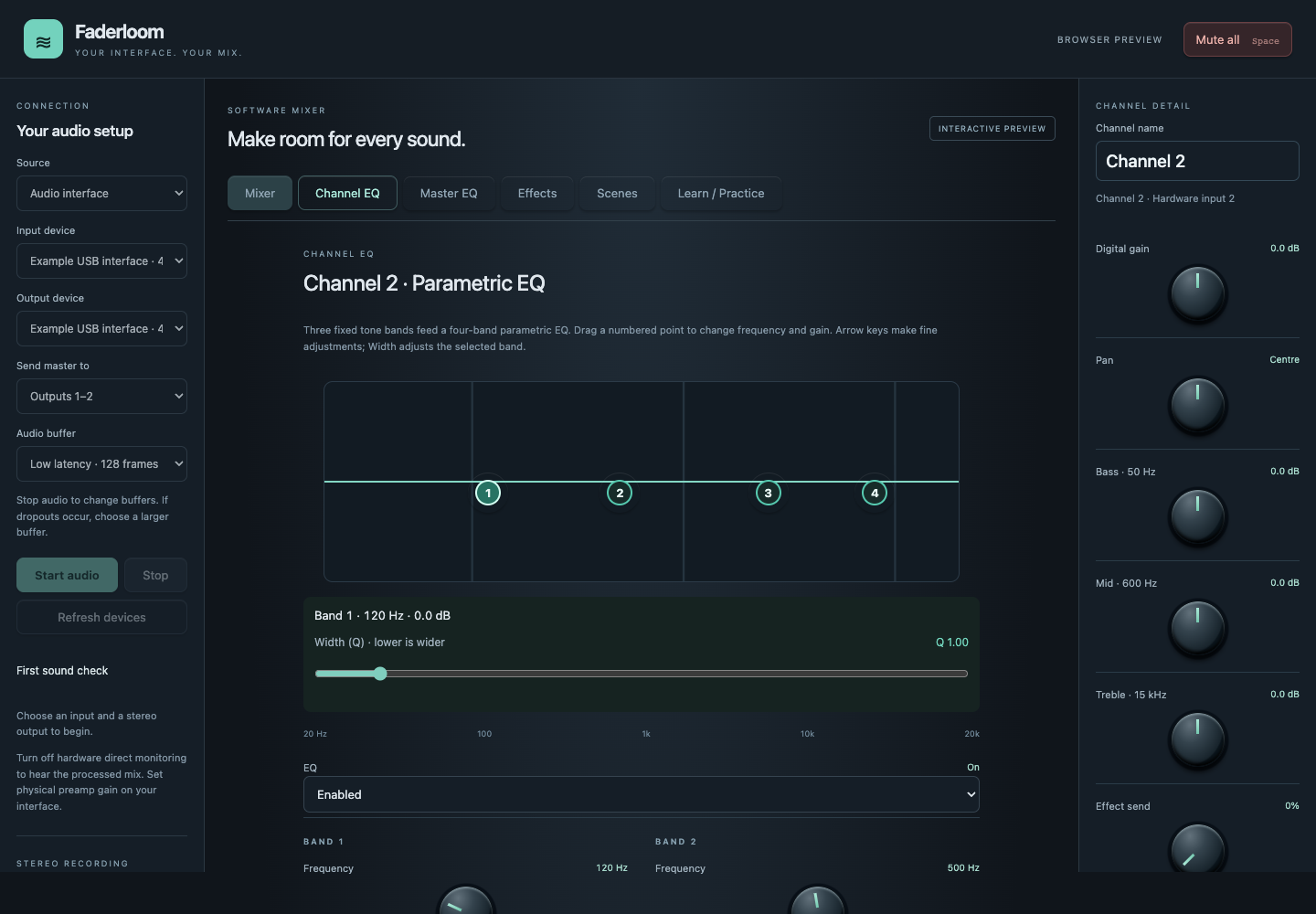
Bring up to eight mono live inputs into the Mac audio engine.
Work with EQ, compression, effects and eight DCA groups. Record the processed stereo master locally.
Pair your phone using the Mac’s session link. Live audio stays on the Mac; the phone is your remote.
SETUP REQUIREMENTS
Practice works in your browser. Live mixing requires the native Mac app and an audio interface.
A supported modern browser, headphones and internet for the real-song library. Playback and processing happen on your device. You don’t need an account, a connected Mac or an audio interface.
A Mac running the native app, a compatible Core Audio interface and a stereo output. Phone control needs a reachable relay and the Mac’s pairing link. Start with the master silent and disable hardware direct monitoring before raising the listening level.
Compatibility is being tested device by device. A Behringer UMC204HD has been tested on the development Mac. Other interfaces still need validation; universal compatibility is not promised.
Most lessons are continuous 60-second excerpts. Lead Me has 16 channels across two minutes. No More Mr Nice Guy also offers a three-minute, 16-channel preview in the library. Browser playback has been checked; physical phone testing of the preview is pending.
Practice mixes and progress stay in local browser or app storage. Live stereo recordings stay on the Mac. Clearing local app data removes local Practice settings. See the privacy policy for optional account and network details.
DESKTOP & MOBILE
Take Practice with you on iPhone, or start mixing right here in your browser. Android and desktop releases are still being prepared.
Try Practice nowApple silicon prerelease. Signing and notarization pending.
Audio, installation and Microsoft Store checks pending.
Google Play testing is underway. Public release is coming later.
LEARN / PRACTICE